
Post and run an Americano
From the button on your club page to the final score: how to post, run and close an Americano.
Join01 · Post it
Post it from your club page
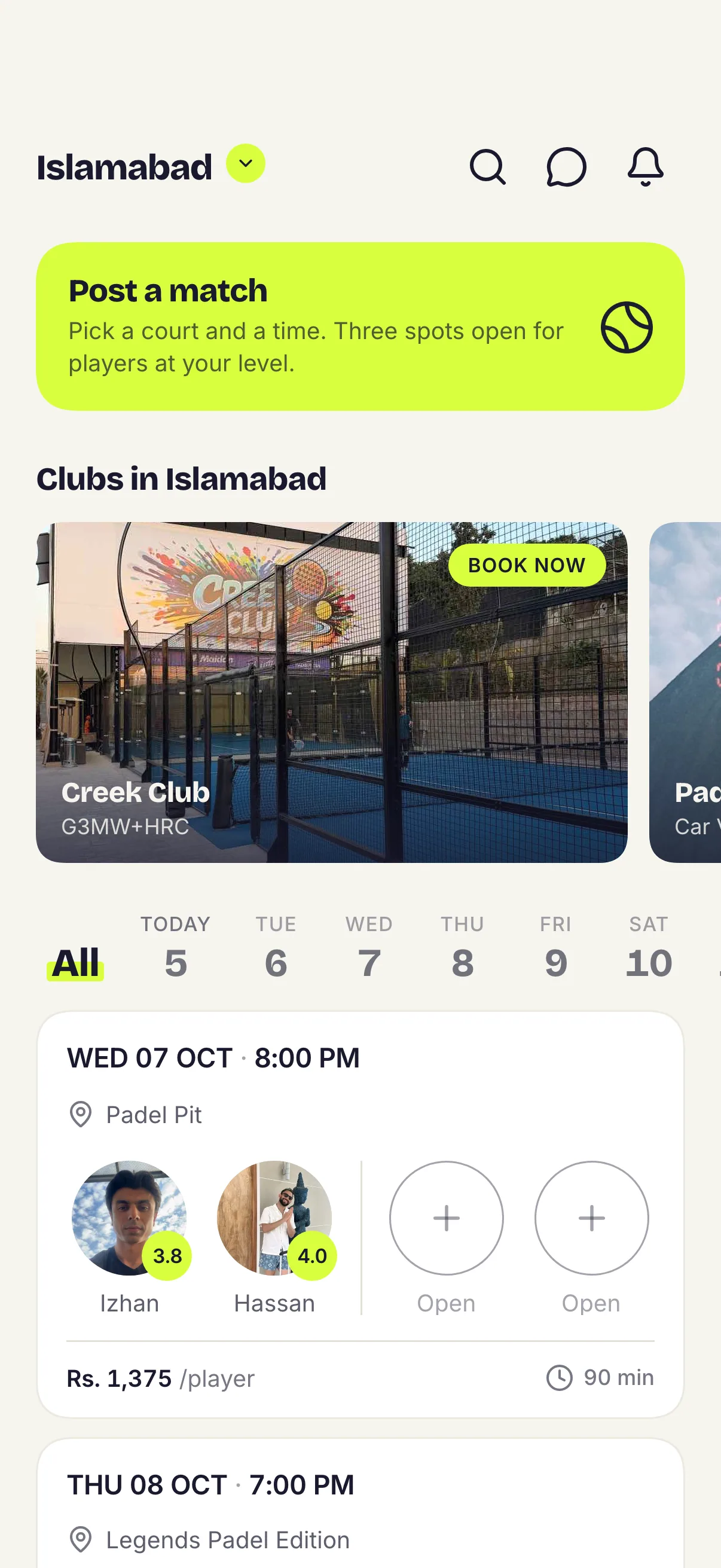
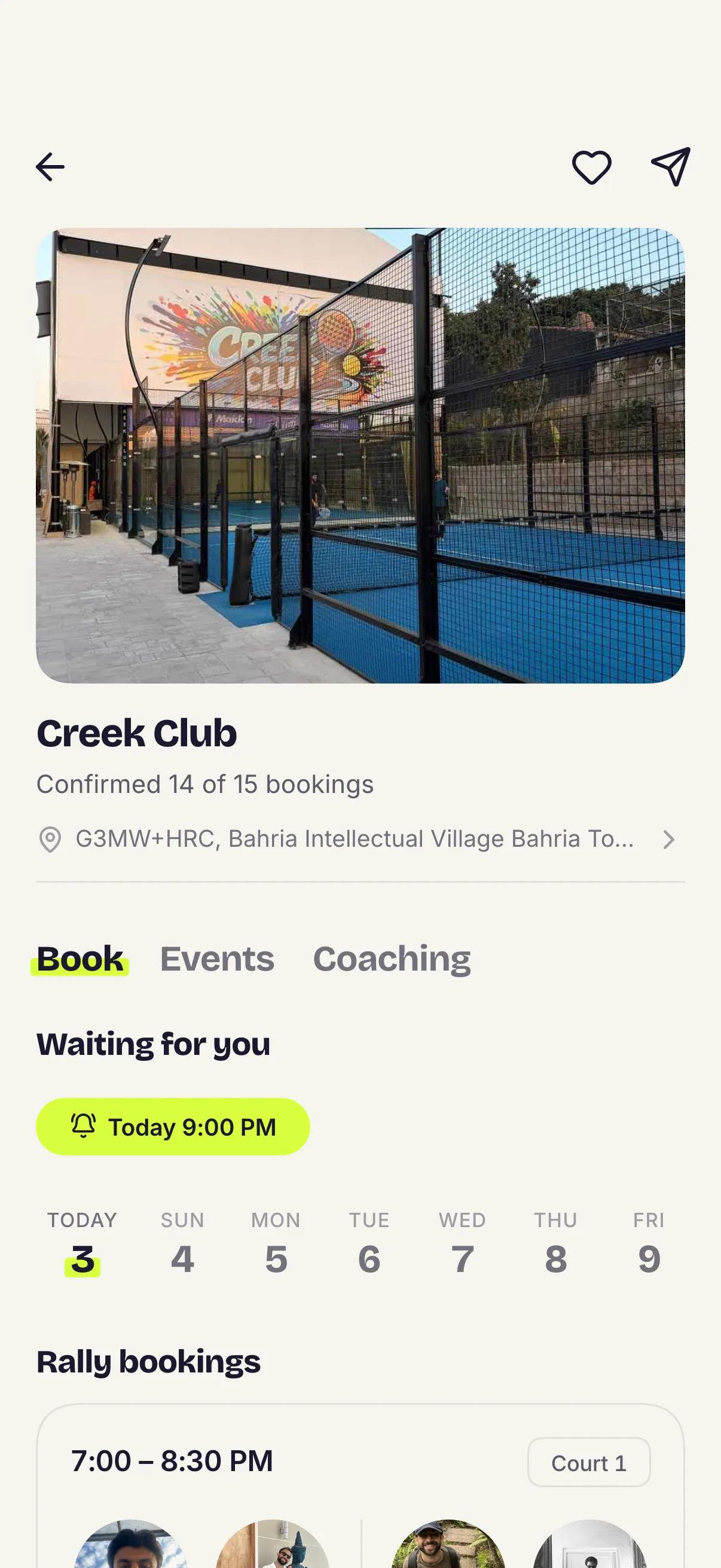
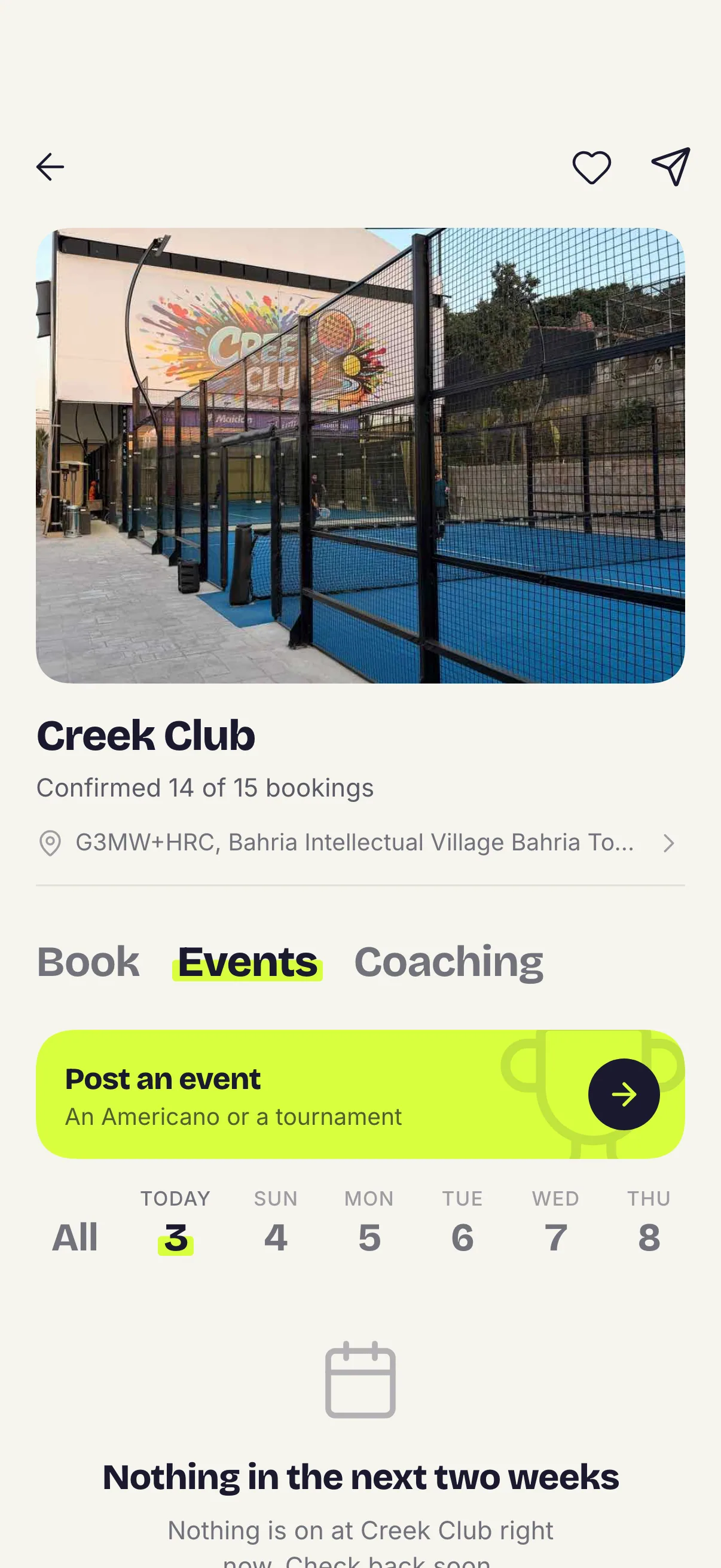
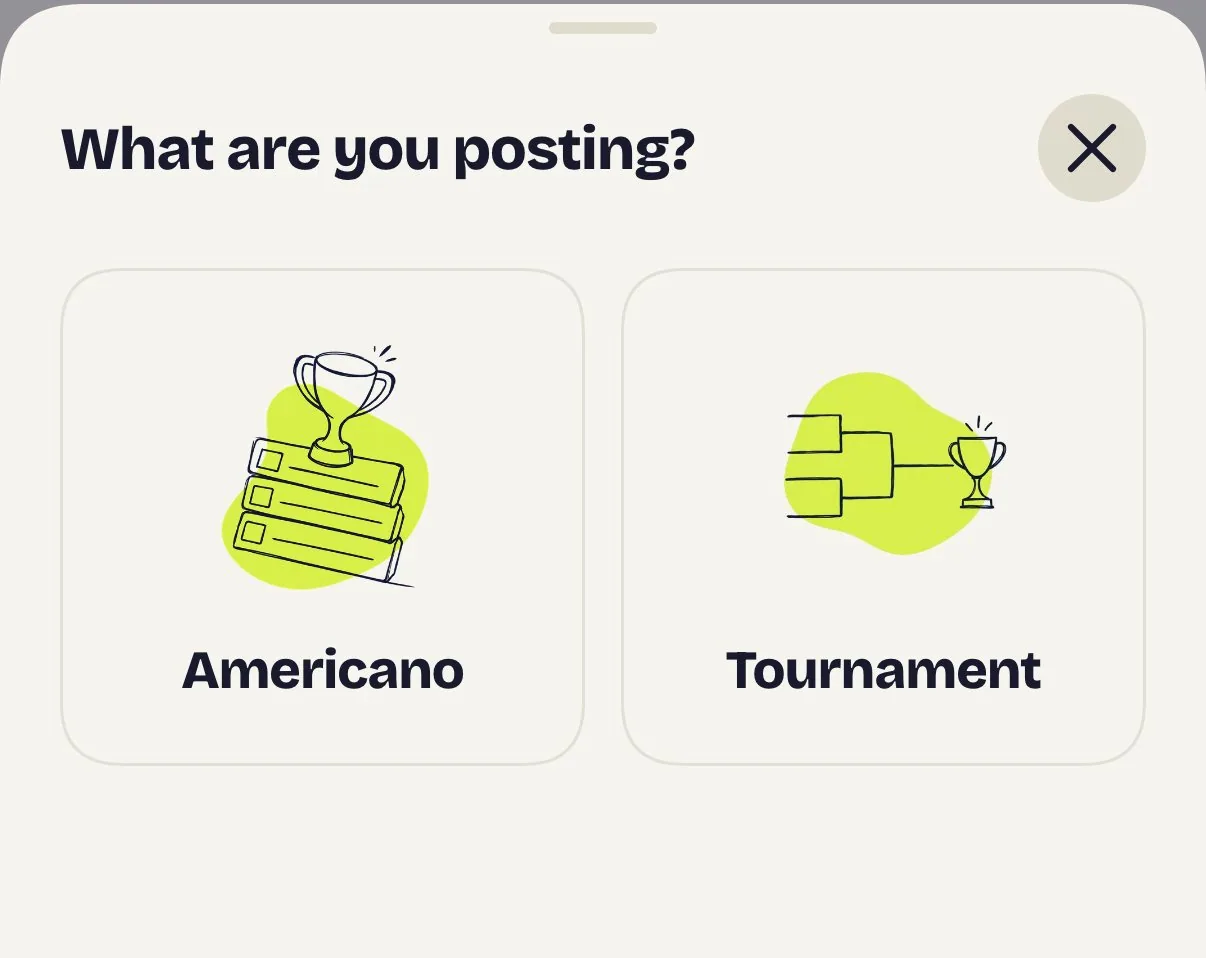
Open your club from Home, go to Events and tap Post an event. Pick Americano, and your venue is already filled in.


- 1Step 1 of 5
Open your club.
On Home, tap your club under Clubs in your city.
- 2Step 2 of 5
Go to Events.
Your club page opens on Book. Events is right next to it.
- 3Step 3 of 5
Tap Post an event.
It sits at the top of Events, for owners and managers.
- 4Step 4 of 5
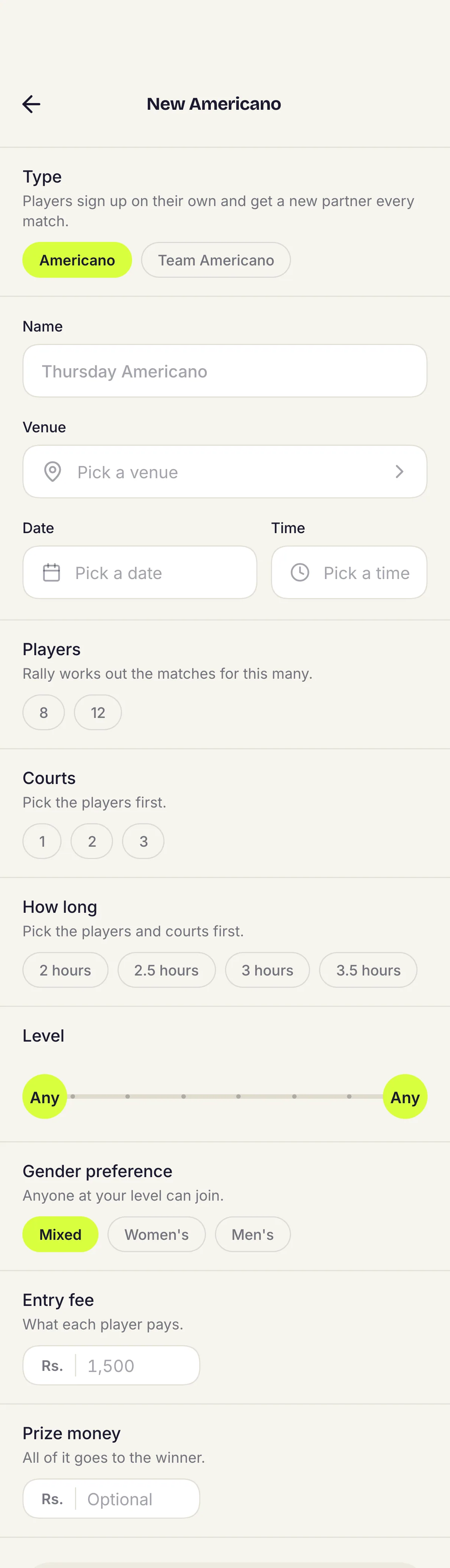
Pick Americano.
Choose Americano. Your venue is already filled in.
- 5Step 5 of 5
Fill it in and post.
Pick the type, the day, how many play and the courts. Rally works out every match.
Choose the day, how many play and which courts. Rally picks the length, works out every match and tells players in your city. You can post up to two Americanos a week.
02 · Players join
Players in your city can join
Your Americano goes up on Home and the Compete tab for every player in your city. They pay you at the club.
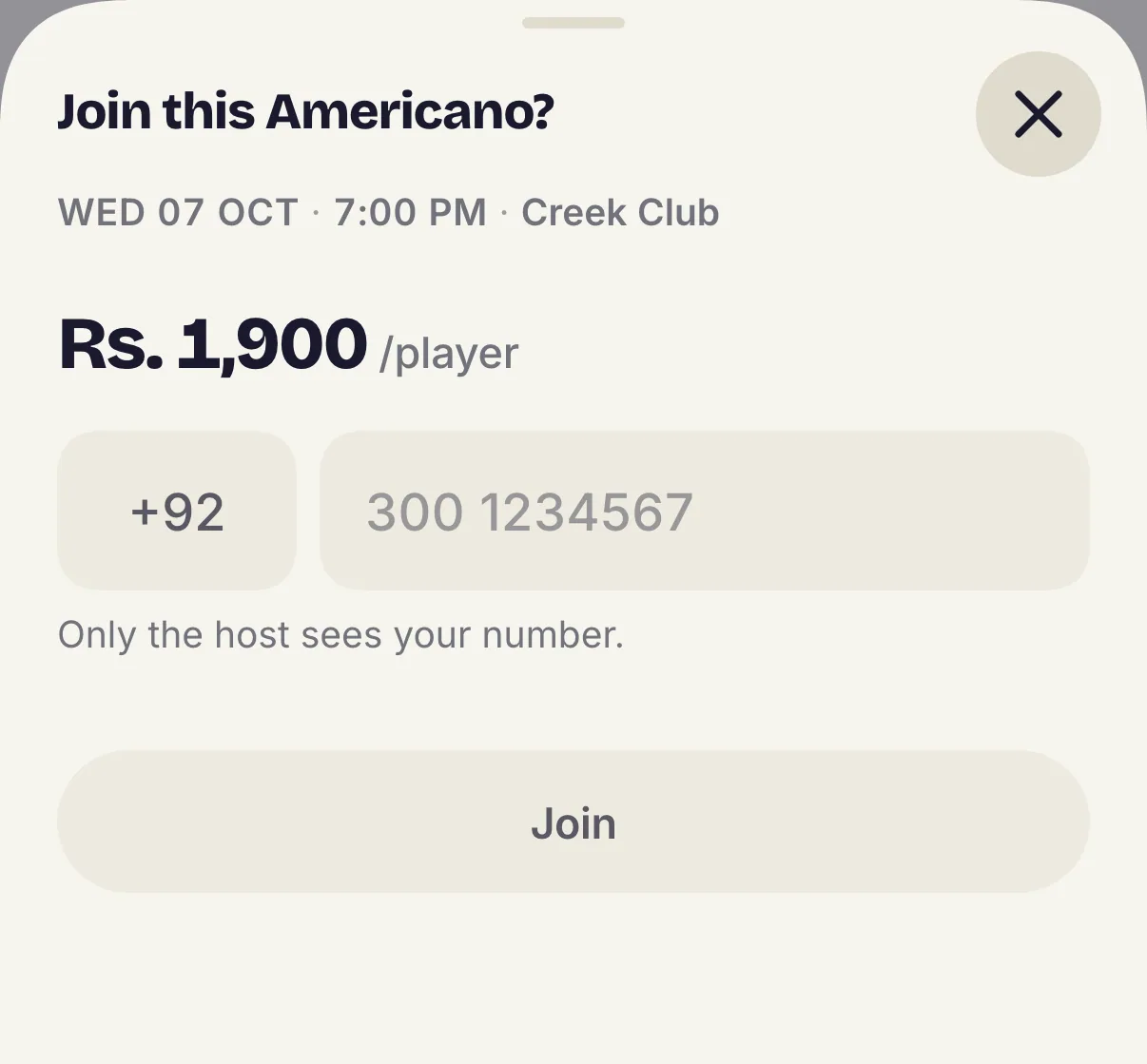
- 1Step 1 of 5
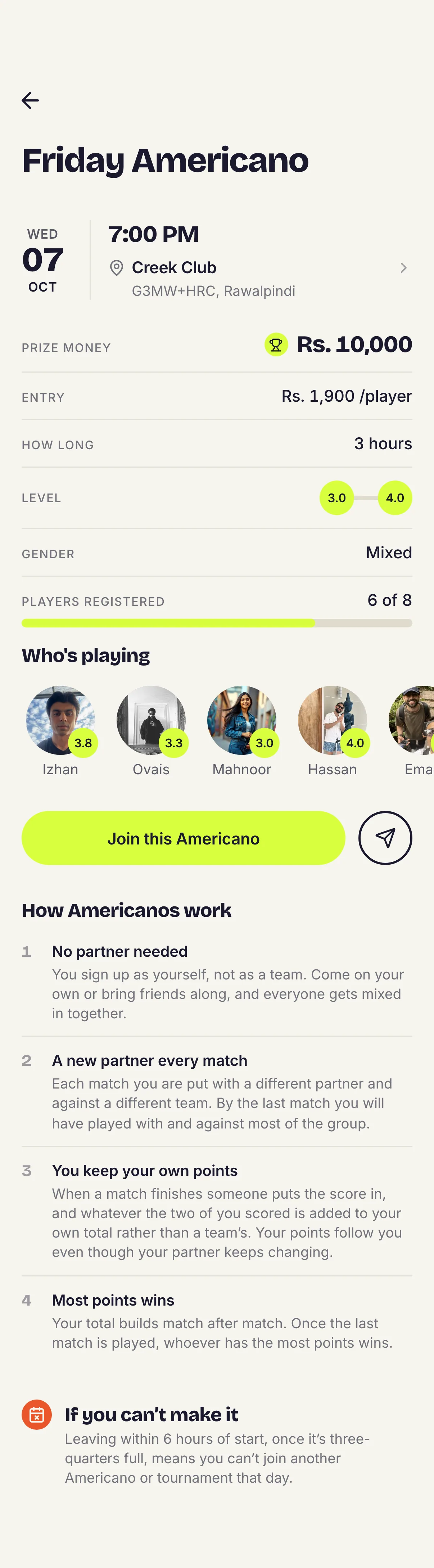
They tap Join.
Your Americano shows on Home and Compete for every player in your city.
- 2Step 2 of 5
They add their number.
Only you see it, so you can reach them before the day. Then they tap Join.
- 3Step 3 of 5
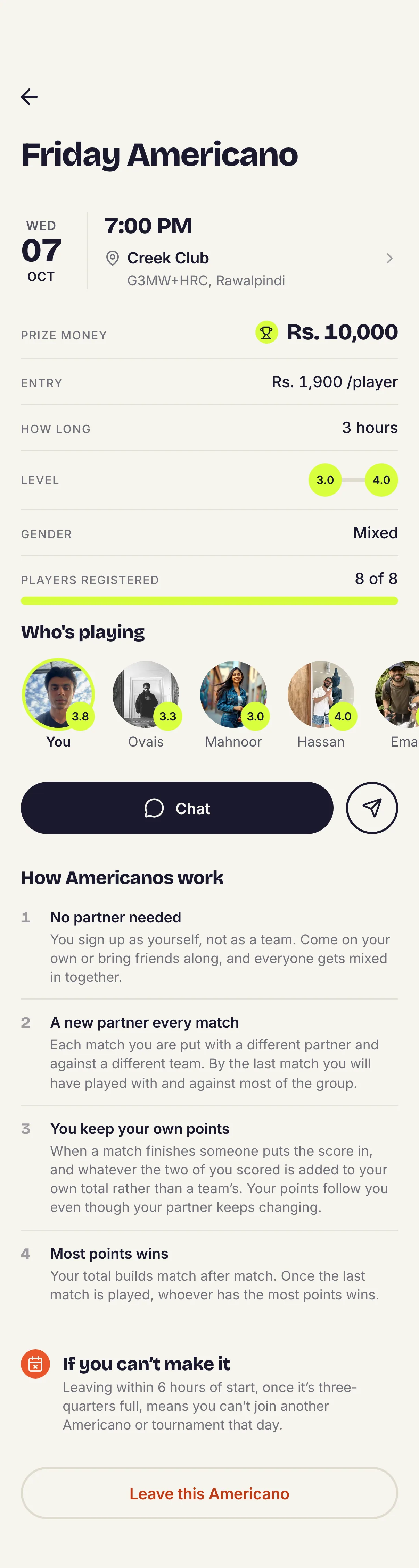
They’re in.
Their face joins Who’s playing, and they can chat with everyone in it.
- 4Step 4 of 5
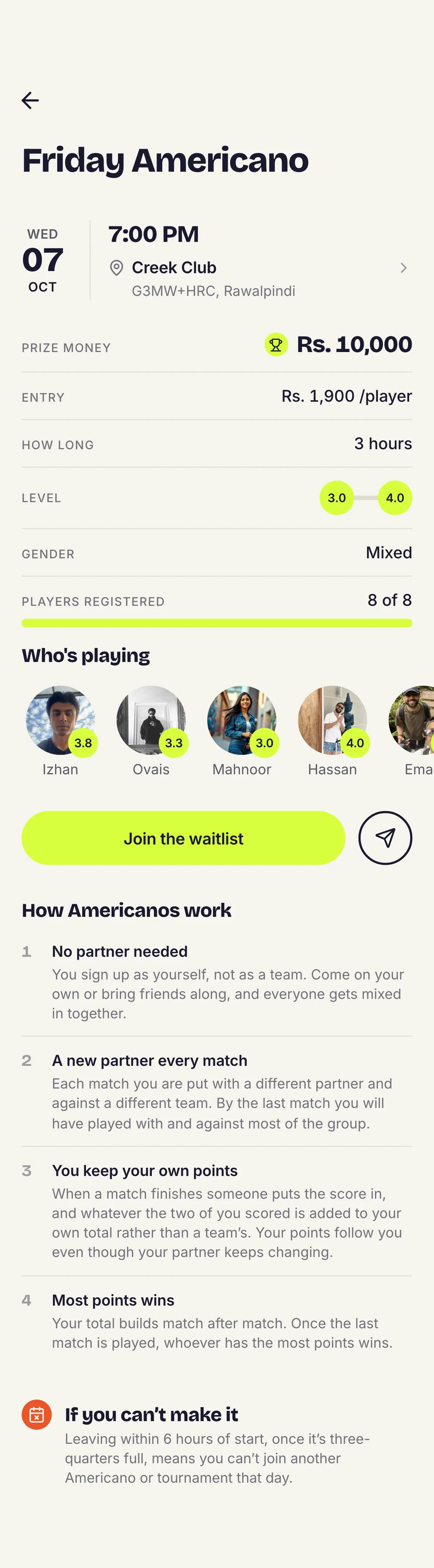
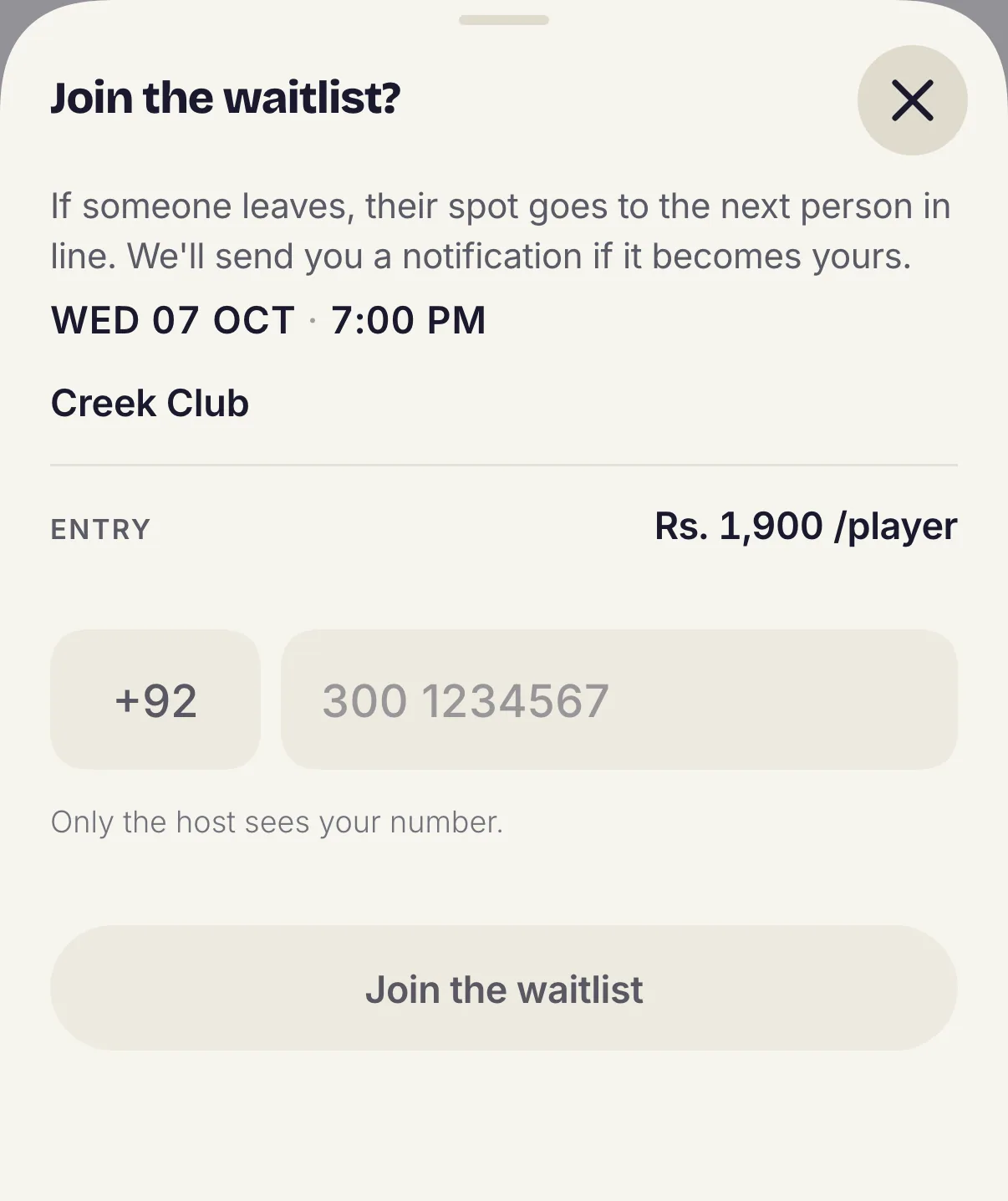
Full? They join the waitlist.
Once every spot is taken, the button changes.
- 5Step 5 of 5
When someone drops out, the first person on the waitlist gets their spot.
If someone leaves, their spot goes to the next person in line, with a notification.
03 · Change it
Edit, manage or cancel
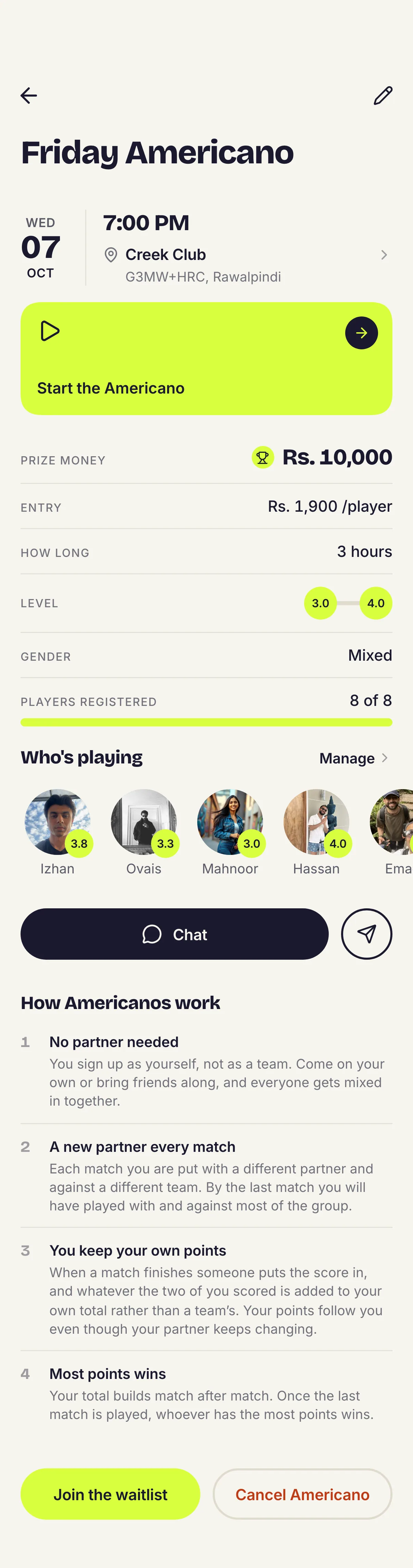
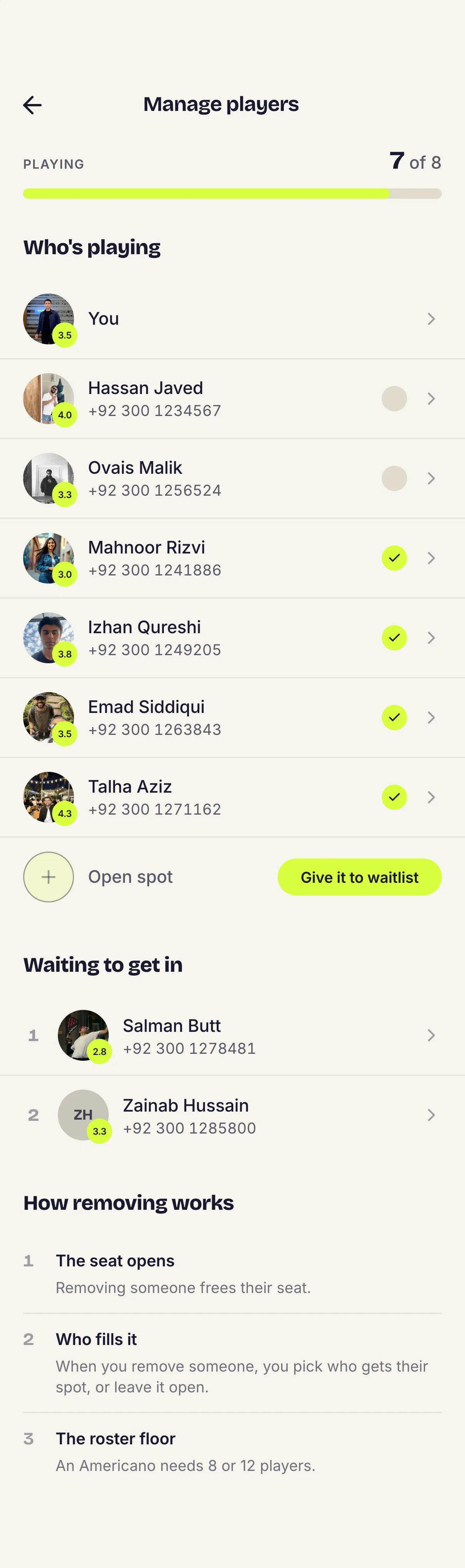
- 1Step 1 of 5
Edit it.
Tap the pen on your Americano’s page. If a change would cost someone their spot, the app tells you first.
- 2Step 2 of 5
Manage players.
Tap Manage beside Who’s playing to see everyone in it.
- 3Step 3 of 5
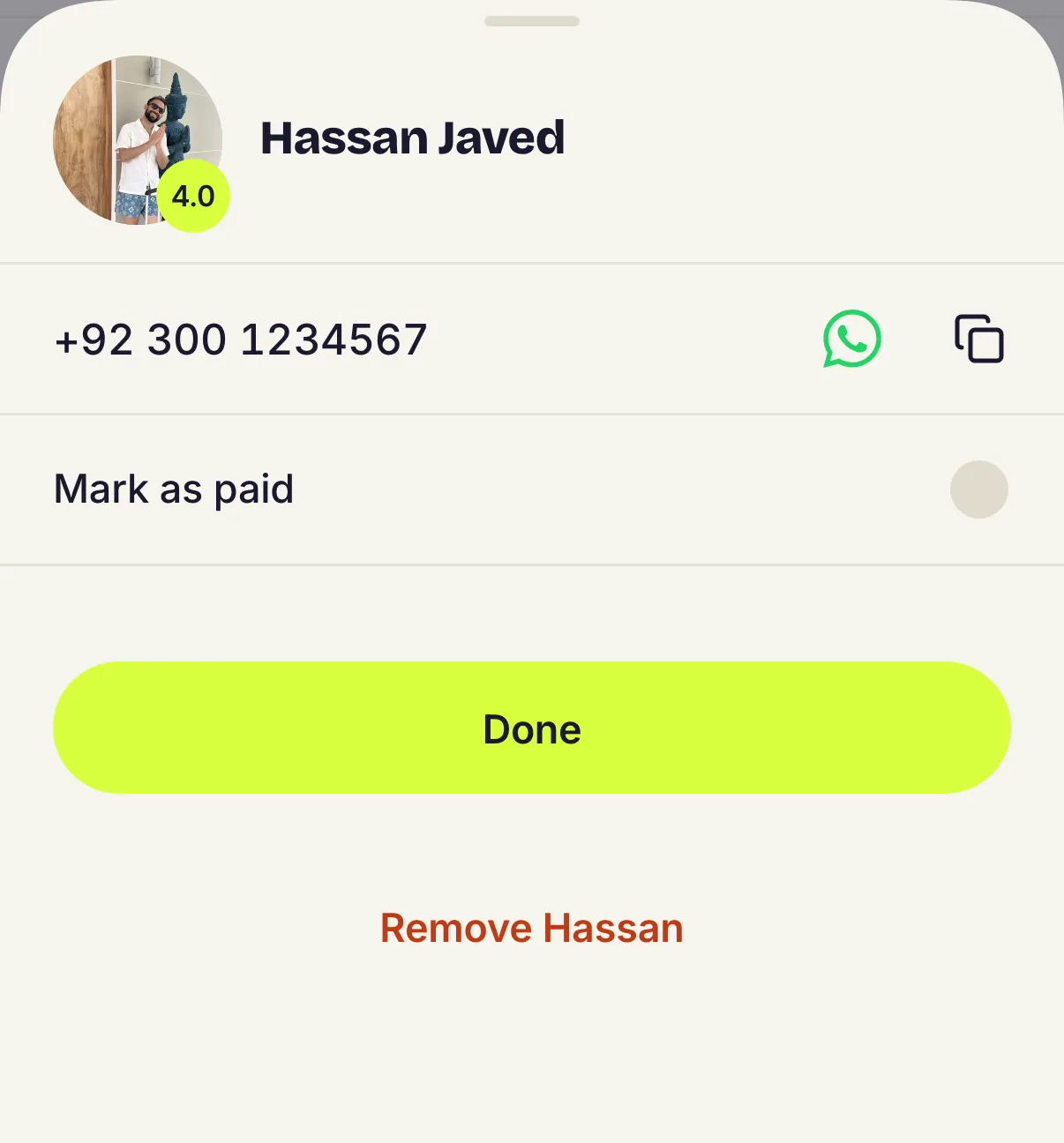
Open a player.
Their number to call or message, and a tick for when they’ve paid at the club.
- 4Step 4 of 5
Remove a player.
Then pick who gets their spot. The next in line is ticked, or leave it open.
- 5Step 5 of 5
Cancel it.
Any time, even after it starts. Players see the host cancelled it. It can’t be undone.
04 · Run the day
Run it from your phone
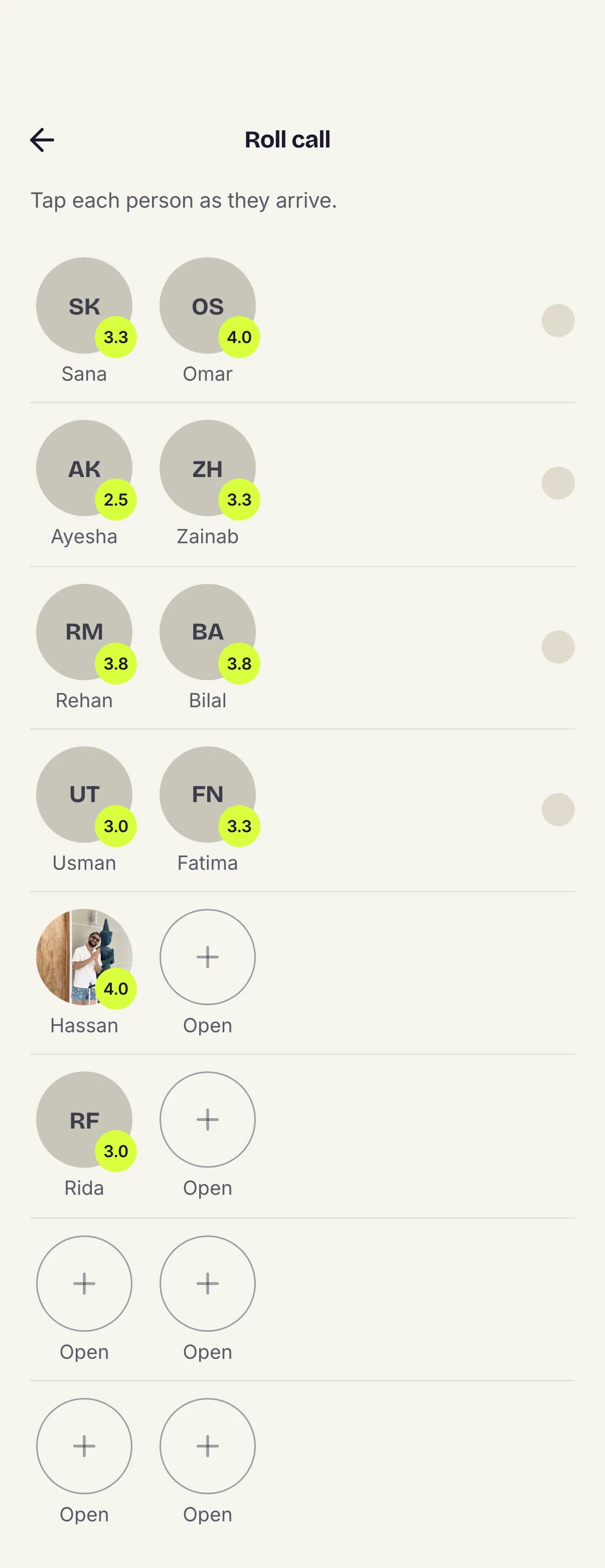
- Roll callTap each person as they arrive. Start never waits for the ticks.
- Start8 or 12 players, or eight full teams. Rally builds every match and every partner.
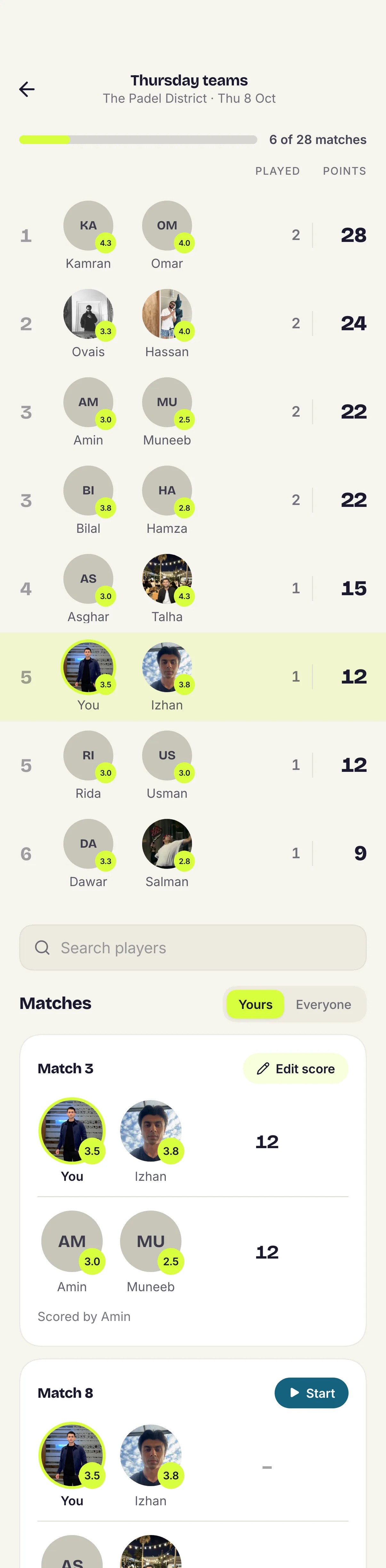
- ScorePlayers enter scores between matches. Anyone in it can fix one.
- FinishIt ends once every match has a score, or tap End Americano.
05 · Tournaments
Tournaments are posted the same way
Tap Post an event and pick Tournament. Each club posts one tournament a month. Roll call and Start work the same way, and Rally runs the draw to the final.
- 1Step 1 of 4
Tap Post an event.
On your club’s Events tab, the same button as an Americano.
- 2Step 2 of 4
Pick Tournament.
Each club posts one tournament a month.
- 3Step 3 of 4
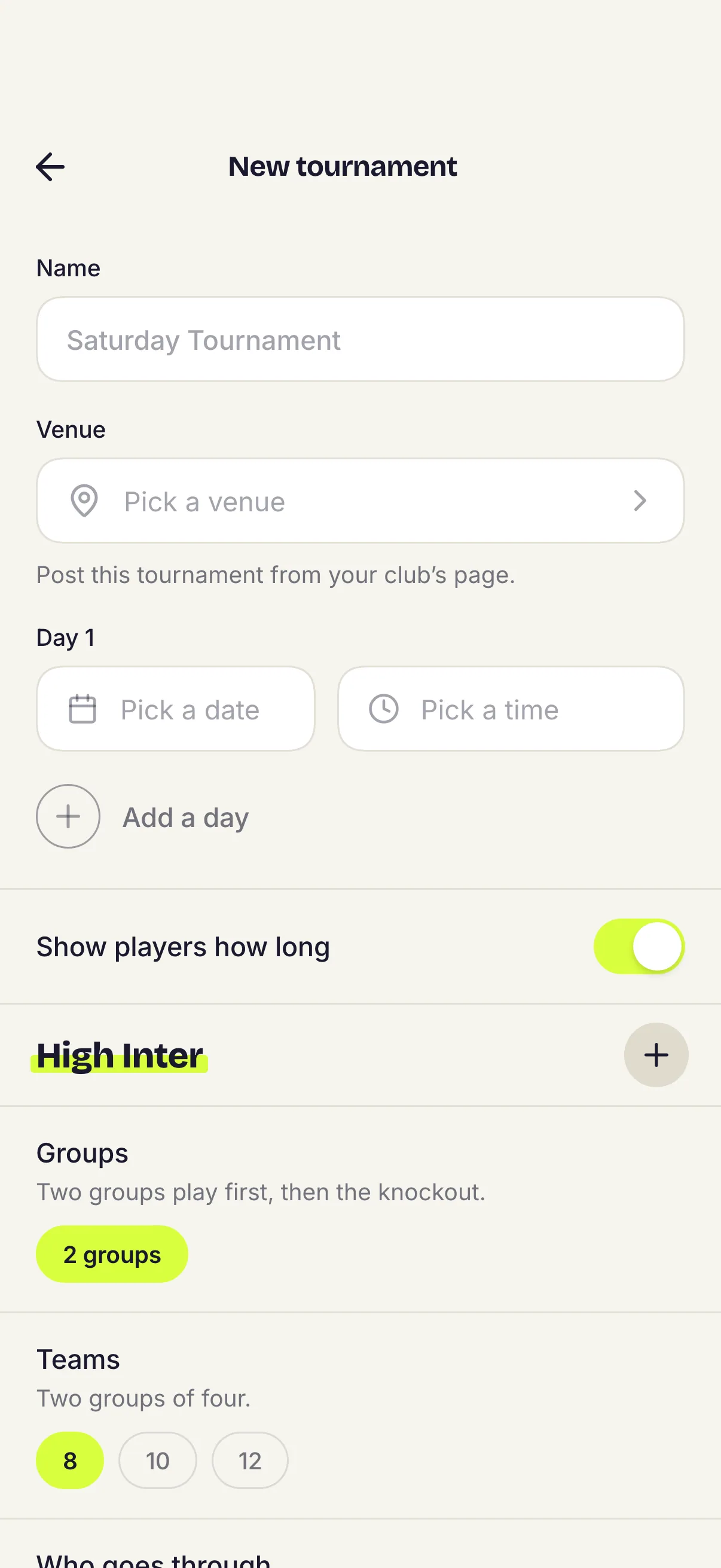
Name it and pick the days.
Choose the venue and add a day for a tournament over a weekend.
- 4Step 4 of 4
Set up each level.
Pick the groups and how many teams play at each level.

What players see, and how the groups work: Host a tournament on Rally
Join the Rally Partner Program
Your club, your courts and how Rally pays you, in one application.